
inlang message format
Plugin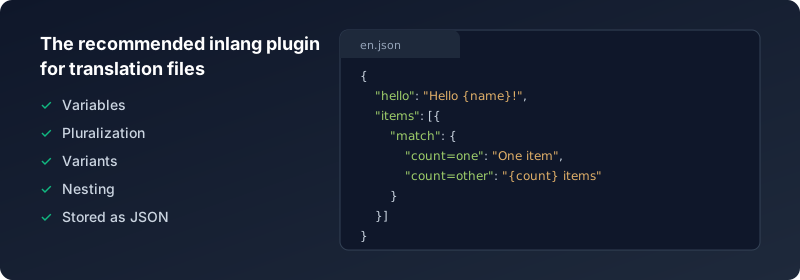
The Inlang Message Format is a storage plugin for inlang. It stores messages in a JSON file per language. It is designed after inlang's data models, which enables all features of inlang.
The syntax is inspired by the upcoming MessageFormat 2.0 draft to keep migration friction low as the standard matures.
The message files contain key-value pairs of the message ID and the translation. You can add variables in your message by using curly braces. To include literal curly braces in your text, escape them with a backslash (\{ and \}). Nested objects are flattened using dot notation on import and unflattened on export.
//messages/en.json
{
  "hello_world": "Hello World!",
  "greeting": "Good morning {name}!",
  "code_example": "Use \\{variable\\} syntax for variables"
}

//messages/de.json
{
  "$schema": "https://inlang.com/schema/inlang-message-format",
  "hello_world": "Hallo Welt!",
  "greeting": "Guten Tag {name}!"
}
[!NOTE] The
$schemaproperty is optional and provides IDE autocompletion for message syntax. It is automatically added when exporting files and ignored on import. The schema is for editor support only and does not perform runtime validation.
Installation
Install the plugin in your Inlang Project by adding it to your "modules" in project.inlang/settings.json. You will also need to provide a pathPattern for the plugin.
// project.inlang/settings.json
{
  "modules" : [
+    "https://cdn.jsdelivr.net/npm/@inlang/plugin-message-format@latest/dist/index.js"
  ],
+ "plugin.inlang.messageFormat": {
+   "pathPattern": "./messages/{locale}.json"
+ }
}
Version Compatibility
| Plugin Version | SDK Requirement | Breaking Changes |
|---|---|---|
| v4.x | @inlang/sdk v2+ | Complex messages must be wrapped in an array. Nesting support added. |
| v3.x | @inlang/sdk v2 (beta) | Upgraded to SDK v2 data model. |
| v2.x | @inlang/sdk v1 | New human-readable format. Auto-migrates from v1 on first load. |
[!NOTE] When upgrading the plugin, ensure your SDK version meets the minimum requirement. Mismatched versions may cause silent failures or import errors.
Configuration
Configuration happens in project.inlang/settings.json under the "plugin.inlang.messageFormat" key.
pathPattern
You can define a single pathPattern or provide an array of patterns to split your messages across multiple JSON files. Messages from all matching files will be merged, and if the same message key appears in multiple files, the value from the last file in the array will override earlier ones. The placeholder should be {locale} (preferred) or {languageTag} (legacy, still supported).
This allows for patterns like having a shared base file and extending or overriding it with domain- or customer-specific files.
Single path pattern example
{
	"plugin.inlang.messageFormat": {
		"pathPattern": "./messages/{locale}.json"
	}
}
Multiple path patterns example
{
	"plugin.inlang.messageFormat": {
		"pathPattern": ["./defaults/{locale}.json", "./clothing/{locale}.json"]
	}
}
Given the following files:
// ./defaults/en.json
{
	"hello": "Hello!",
	"cart": {
		"title": "Your cart"
	},
	"size": "Size"
}
// ./clothing/en.json
{
	"size": "Clothing size",
	"fit": "Fit"
}
The merged result for locale en will be:
{
	"hello": "Hello!",
	"cart": {
		"title": "Your cart"
	},
	"size": "Clothing size", // Overridden
	"fit": "Fit" // Added
}
This lets you modularize and override translations while keeping a shared base.
[!WARNING] When exporting, all messages are written to the last path pattern in the array. Messages are not split back across multiple files. This means multiple path patterns are a one-way merge — useful for importing from shared base files, but the original file structure is not preserved on export.
sort
Optionally sort keys when writing files to keep git diffs consistent.
{
	"plugin.inlang.messageFormat": {
		"pathPattern": "./messages/{locale}.json",
		"sort": "asc"
	}
}
Messages
You can organize your messages in a nested structure for better organization of your translations. There are two types of messages:
Simple Messages
[!NOTE] Nesting is supported from v4 of the plugin and requires apps to use the inlang SDK v2 higher.
Simple messages are string values, either directly at the root level or nested within objects:
{
	"hello": "world",
	"navigation": {
		"home": "Home",
		"about": "About",
		"contact": {
			"email": "Email",
			"phone": "Phone"
		}
	}
}
Complex Messages (with variants, pluralization, etc.)
For complex messages with variants, wrap the message object in an array to differentiate it from nested simple messages:
{
	"simple": "This is a simple message",
	"count": [
		{
			"declarations": ["input count", "local countPlural = count: plural"],
			"selectors": ["countPlural"],
			"match": {
				"countPlural=one": "There is one item",
				"countPlural=other": "There are {count} items"
			}
		}
	]
}
When addressing nested messages, use dot notation (e.g. navigation.items.count for a nested navigation.items.count entry).
[!NOTE] The array wrapper is how we distinguish between a nested object containing more messages vs. a complex message object with variants.
Escaping Special Characters
Since curly braces { and } are used to denote variables, you need to escape them if you want to include literal braces in your message text. Use a backslash to escape:
\{→ literal{\}→ literal}\\→ literal\
This is useful when your translations contain code snippets, JSON examples, or other text with curly braces:
{
	"json_hint": "JSON objects look like \\{\"key\": \"value\"\\}",
	"template_help": "Use \\{variable\\} to insert dynamic values",
	"path_example": "Windows paths use \\\\ as separator"
}
The above messages will render as:
JSON objects look like {"key": "value"}Use {variable} to insert dynamic valuesWindows paths use \ as separator
[!NOTE] Escaping is only necessary for
{,}, and\characters. Other special characters can be used directly.
Variants (pluralization, gendering, A/B testing)
The message below will match the following conditions:
| Platform | User Gender | Message |
|---|---|---|
| android | male | {username} has to download the app on his phone from the Google Play Store. |
| ios | female | {username} has to download the app on her iPhone from the App Store. |
| * | * | The person has to download the app. |
{
	"jojo_mountain_day": [
		{
			"match": {
				"platform=android, userGender=male": "{username} has to download the app on his phone from the Google Play Store.",
				"platform=ios, userGender=female": "{username} has to download the app on her iPhone from the App Store.",
				"platform=*, userGender=*": "The person has to download the app."
			}
		}
	]
}
Ordinal pluralization (1st, 2nd, 3rd…)
plural forwards its options to Intl.PluralRules, so you can request ordinal categories by passing type=ordinal in your declaration.
{
	"finished_readout": [
		{
			"declarations": [
				"input placeNumber",
				"local ordinalCategory = placeNumber: plural type=ordinal"
			],
			"selectors": ["ordinalCategory"],
			"match": {
				"ordinalCategory=one": "You finished in {placeNumber}st place",
				"ordinalCategory=two": "You finished in {placeNumber}nd place",
				"ordinalCategory=few": "You finished in {placeNumber}rd place",
				"ordinalCategory=*": "You finished in {placeNumber}th place"
			}
		}
	]
}
[!TIP] Ordinal category names (
one,two,few,other, etc.) followIntl.PluralRulesfor the active locale.
Pluralization is also supported. You can define a variable in your message and then use it in the selector.
| Inputs | Condition | Message |
|---|---|---|
| count=1 | countPlural=one | There is one cat. |
| count>1 | countPlural=other | There are many cats. |
[!TIP] Read the
local countPlural = count: pluralsyntax as "create a local variablecountPluralthat equalsplural(count)".
{
	"some_happy_cat": [
		{
			"declarations": ["input count", "local countPlural = count: plural"],
			"selectors": ["countPlural"],
			"match": {
				"countPlural=one": "There is one cat.",
				"countPlural=other": "There are many cats."
			}
		}
	]
}
Troubleshooting
Messages not appearing
- File not found: Missing translation files are silently ignored. Verify that your
pathPatternmatches the actual file paths and that the{locale}placeholder resolves correctly. - Wrong locale: Ensure the locale in the filename matches one of the configured
localesin yoursettings.json.
JSON parse errors
- Trailing commas: JSON does not allow trailing commas. Remove the comma after the last property in objects and arrays.
- Comments: Standard JSON does not support comments. The examples in this README use
//comments for illustration only — remove them in actual files.
"Multiple variants for language tag" error
Each message can only have one variant per locale within a single match condition set. If you need multiple variants, use selectors to differentiate them:
{
	"message": [
		{
			"selectors": ["platform"],
			"match": {
				"platform=ios": "iOS version",
				"platform=android": "Android version"
			}
		}
	]
}
Nested messages not working
- Nesting requires plugin v4+ and SDK v2+. Check the Version Compatibility table.
- Maximum nesting depth is 5 levels. Flatten deeper structures using dot notation in the key name.
Complex messages not recognized
Complex messages (with variants/pluralization) must be wrapped in an array:
{
	"wrong": { "match": { "count=one": "One" } },
	"correct": [{ "match": { "count=one": "One" } }]
}
Recommended complementary solutions

inlang CLI
Automate localization tasks in CI/CD pipelines with machine translation, validation, and plugin support for JSON, i18next, next-intl, and more.

Fink - CAT Editor (Computer Assisted Translation Editor)
Manage translations in a web app with Fink.

Sherlock - VS Code extension
Visualize, edit & lint translated strings at a glance via Inline Decorations & Hover Support, and extract new strings with a single click.

Paraglide JS
Simple, adaptable and tiny i18n library that integrates with any framework